Claude skills · Eliot Prince
What Are Claude Skills? Clearly Explained (With Examples)
A Claude skill is a checklist that runs itself. Here's what's inside one, a side-by-side test with and without a skill, and the three mistakes that make people give up on them.
Chris used to lose 30 to 60 minutes on every eBay listing, probably a whole lot more. Taking the photos, writing the description, working out what to sell it for, all the research. Now he drops his photos into a Claude chat and tells it to list the item on eBay. His skill works out what the item is, checks its quality, researches the price, writes the listing and publishes it for him. Everything happens in less than 5 minutes.
So what are Claude skills? A Claude skill is a checklist that runs itself. It's a set of instructions Claude keeps, saved and ready to run on command, so the same job comes out your way every time. In my opinion it's the biggest advancement in AI since ChatGPT launched. I've taught over 3,387 people to use AI, and skills are always the biggest unlock they have for clawing back real time.
This is the written version of my video, published on 29 October 2026. You'll get what a skill is, a side-by-side test with and without one, the three parts inside every skill, why everyone's going mad for them, and the three mistakes that make people give up on them.

What Is a Claude Skill?
A Claude skill is a saved set of instructions that Claude reads and follows one by one, so it can complete a whole task end to end.
Take Chris's eBay listing. There's a list of jobs you'd have to do to sell something:
- Check the quality of the item
- Look up what the item is
- Look at the price of the item
- Look at what competitors are selling it for
- Write the title
- Write the description
A skill goes through those step by step. You don't copy and paste a prompt in anymore. You say "list this on eBay" and it gets on with it. It might ask some questions along the way, but it's very simple.
All you have to do is write the job down once, step by step. Every time the job comes up, Claude runs that exact checklist.
Think of it like the standard operating procedure you'd give a new member of staff. An SOP tells them what to do step by step, what tools they need, what documentation, who to talk to. A skill is the same concept, but for Claude.
Why Does a Skill Give You the Same Output Every Time?
A skill gives you the same output because Claude follows a specific process done your way, not however it decides to do it that day.
Ask Claude the same thing twice in a fresh chat and you'll get two different answers. That's fine for a one-off conversation. But when you need a weekly report, a client proposal or an edited Instagram reel, it comes out very different every time if you haven't trained it on the process.
Skills can also fire themselves. I can be working away in Claude and ask it to create an invoice for the King of England for my VIP AI workshop day. Claude picks up my invoice skill and makes the invoice in my brand, in the right currency, in my format, with my template and my bank details, ready to send. A lot of the time you won't even notice a skill is firing. The job just gets done properly every time.
Sometimes a skill is just your best prompt wrapped up. Say I have a 2,000-word prompt that automates SEO reporting for a client's website. It checks Google Analytics, it knows how to write in my voice, and it knows the style of the reports and the data we're looking for. Instead of copying and pasting that prompt into Claude, I can tell Claude to turn it into a skill. Then any time I want a report, I say:
Hey, can you do an SEO report for this client?That's why a lot of people say prompting's dead. The best people have tuned their systems to know all the jobs they do, and they don't even necessarily have to be at their computer. Once you trust a skill works, you can set it to run on a scheduled task.
So the way to think about it now: a prompt is something you do once. Anything you do with AI weekly, daily or monthly, turn into a skill so you can fire it automatically.
What's the Difference With and Without a Skill?
To show you, I edited the same Instagram reel twice with pretty much the same prompt. I set up two folders on my desktop with exactly the same video file in each. One chat ran with my HDT Reel Editor skill. For the other, I went into Customize, found my reel editing skill and turned it off, so it couldn't run in that chat.
You can call a skill with a slash command, which for this one is /hdt-reel-editor. Or you can just ask in normal words. I barely gave it any prompt at all:
Edit my reel that is in the attached folder, please. Do it in one shot, in a polished look, please. No need to ask me for advice. I trust your process.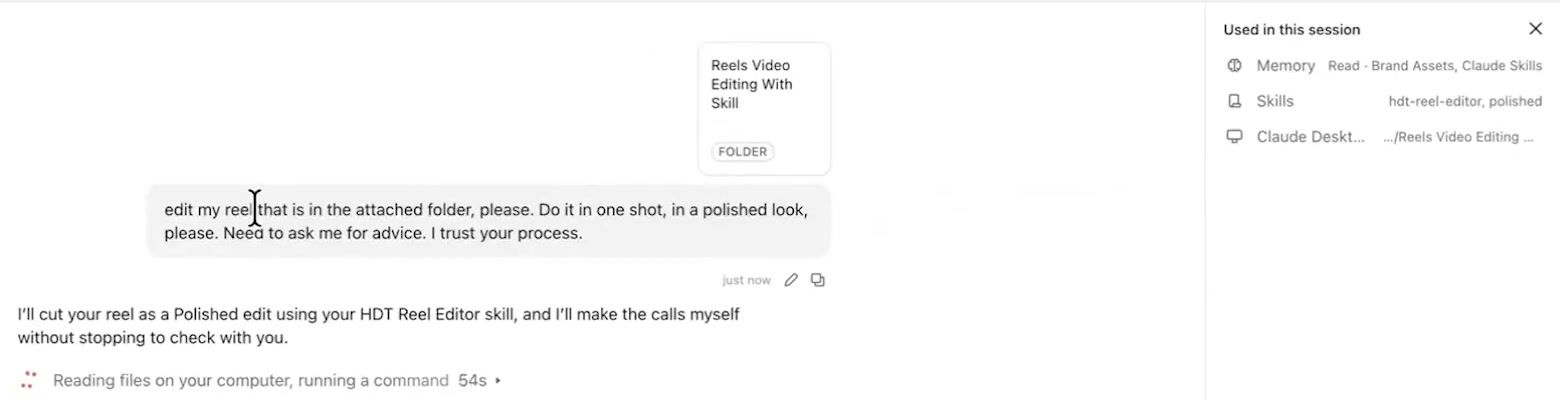
As it ran, the "Used in this session" panel on the top right showed the HDT Reel Editor skill had been invoked. I never told it to use the skill with a slash command. I said I needed a reel edited and it got to work.
The run without the skill did a pretty good job. It cut out the dead silences and the mess-up words and it put captions on. But most reels editing apps can do that now. Here's how the two compared.
| Without the skill | With my HDT Reel Editor skill | |
|---|---|---|
| Flow | Jumps in and out, a bit too aggressive for me | Way better flow |
| Captions | Captions added | A little less pushy |
| On-screen text | Plain text | Listicles coming up on screen |
| Consistency | Could come out different every time (font colour, number of zooms) | Always comes out pretty pristine, how I'd want it edited |
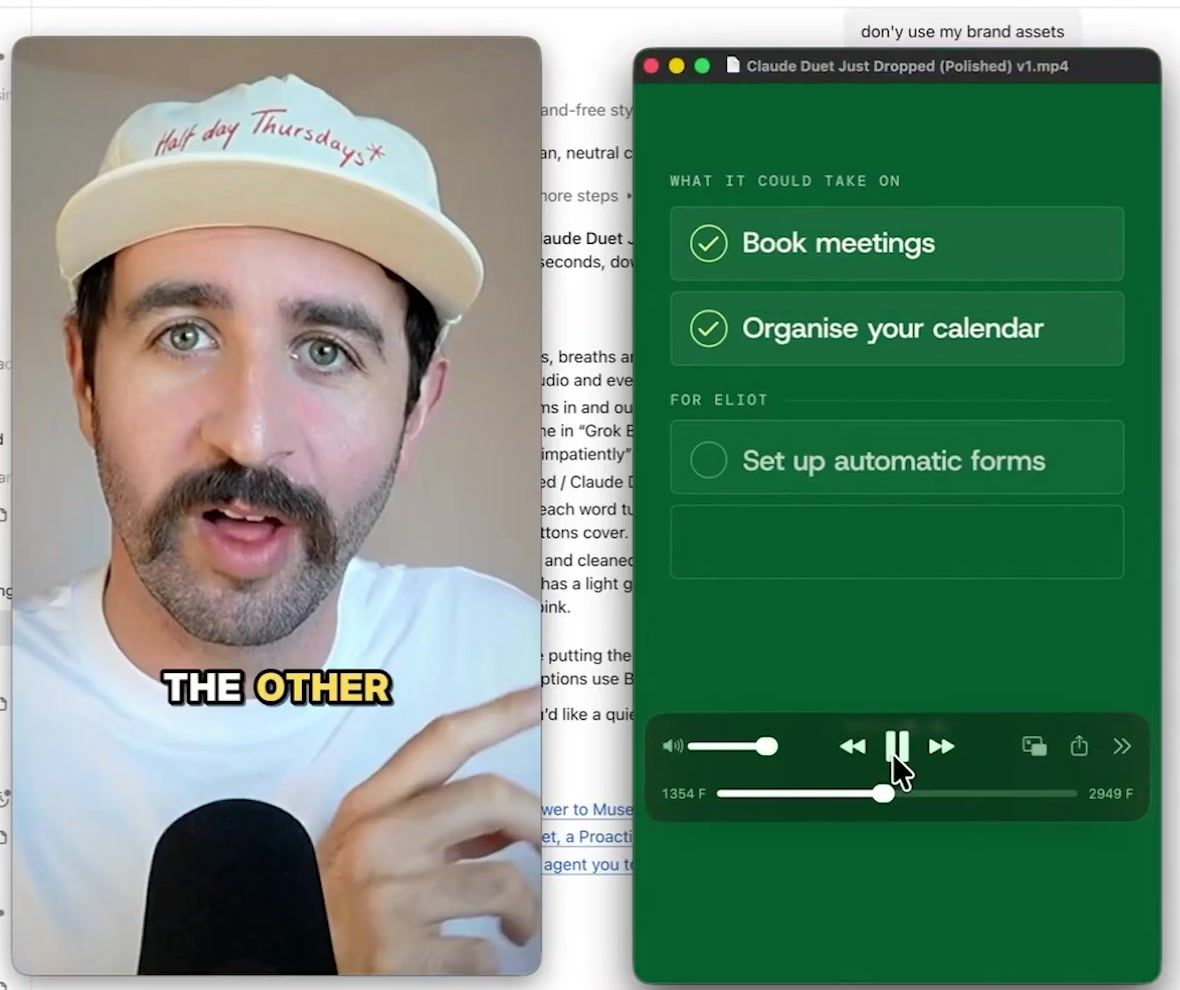
The jumping in and out is something I trained my skill not to do. It also adds overlays in my Eliot Prince brand. That's the difference a skill makes, even on a two-line prompt.
My Claude Reels editing masterclass, and how to set up a skill like this yourself, is inside my community. See what's inside my AI community, Half Day Thursdays: halfdaythursdays.com
Claude Skills Explained: The Three Parts of a Skill
Every Claude skill has three main parts: the description, the SKILL.md file and the reference files.
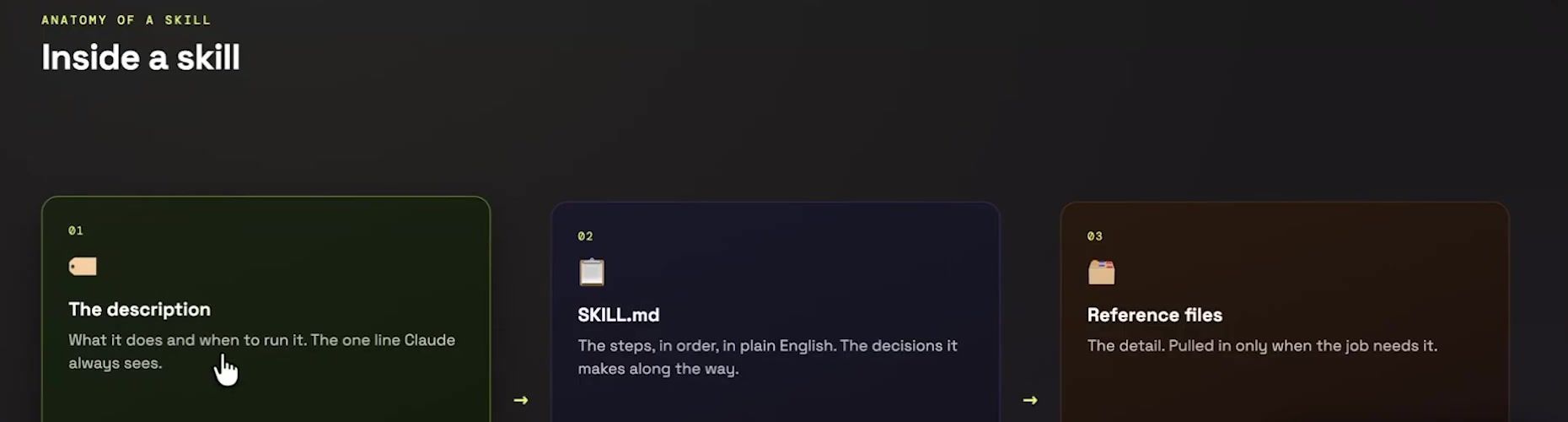
| Part | What it does | Example from my skills |
|---|---|---|
| The description | The label on the whole folder. Claude reads it to decide whether to use the skill | The phrases that set off a proposal skill, like "create a proposal from this transcript" |
| The SKILL.md file | The core checklist Claude works through step by step | The seven steps in my content strategist skill |
| Reference files | Extra supporting detail Claude pulls in on command | The invoice template in my invoicing skill |
1. The Description
The description is number one, and it's critical. It's the label on the whole folder. It holds the phrases you'd use to set the skill off, like "can you turn this sales call transcript into a proposal" or "create a proposal from this transcript". Claude reads this line for every skill in your account, on every run, to work out whether it should use it or not.
2. The SKILL.md File
The SKILL.md file is the core set of steps. It's the main set of instructions, the checklist sections Claude needs to go through to do the task step by step. You could call it a very detailed prompt that lives in a file called SKILL.md.
3. The Reference Files
The reference files are a secret area not many people know about. They hold the extra detail, the supporting information Claude uses on command. If the steps in your SKILL.md file tell Claude to use a particular template, like the template for my invoices in my invoicing skill, Claude goes and finds that template in the skill's folder. It could also be a specific framework, an extra checklist, or long examples of what good and bad look like.
What a Real Skill Looks Like Inside
Here's one I built. In Claude, go into Customize, then Skills. My content strategist skill builds content strategy across social media.
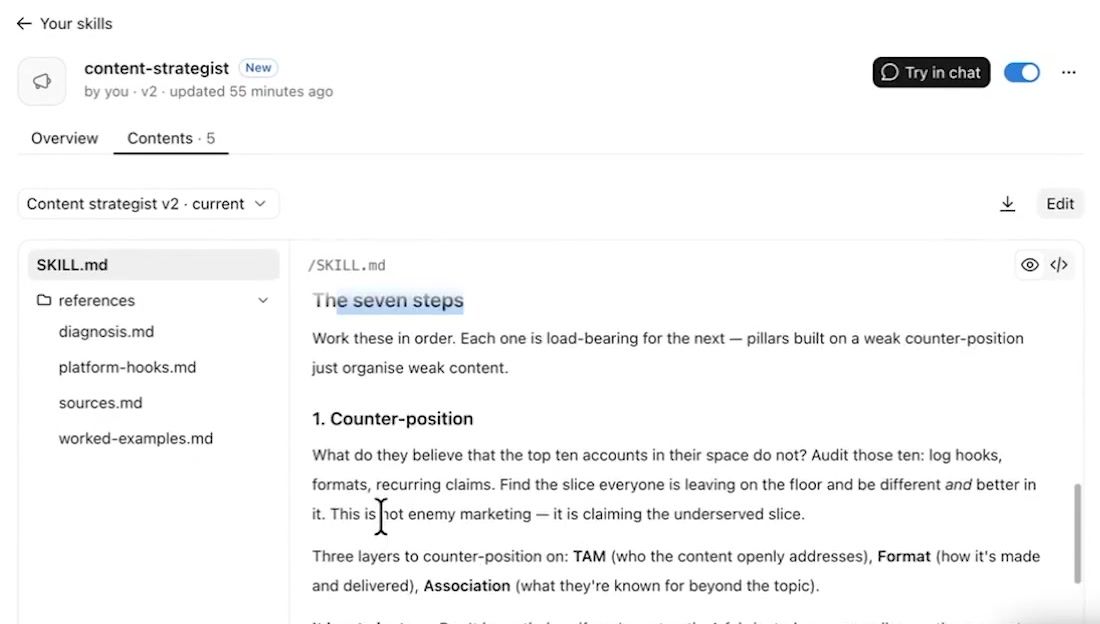
Its SKILL.md has seven steps that it works through to build a content strategy. They start with the counter-position and go through the different pillars of my content (pain, genre and the human element), the subjects we talk about and the different formats. The reference files include a diagnosis that works things out from data, hooks for different platforms and how to construct posts for each one, sources to support the information, and worked examples.
Those worked examples are one of the biggest hacks with Claude skills and AI in general. Give it an example of what good looks like so it can measure itself against that. Then when you ask it to score itself out of 100, it knows what it's shooting for.
This might seem like a lot to put together, but Claude can build a lot of it for you. Anthropic's own skill-creator skill helps you build all of this stuff.
Why Is Everyone Talking About Claude Skills?
Everyone's talking about them because skills teach Claude how to do all your workflows, and the same skill can now travel with you. Here's why they matter.
They've become an open standard. The skills you build in Claude can also be used in ChatGPT or in your Hermes agent. Build a skill once and use it everywhere you work, so you can move to the best AI tool by moving your skills and your context across. Anthropic publishes the Agent Skills specification as an open standard at agentskills.io. OpenAI's own docs say its ChatGPT and Codex skills "build on the open agent skills standard" (in ChatGPT, skills are for Business, Enterprise, Healthcare and Edu plans when I checked in November 2026), and Nous Research's Hermes Agent is compatible too.
You've been using them all along. When Claude builds you a PowerPoint or a Word document, under the hood it's usually running on skills. Anthropic maintains built-in skills for Word, Excel, PowerPoint and PDF files. So when you say "turn this into a Word document", there's a skill running in the background you didn't know about.
You can run them on a schedule. I have a Gmail morning triage scheduled task that triages my inbox every morning. The instructions for the task boil down to this:
Run the Gmail morning triage skill on my Gmail. Just get to work.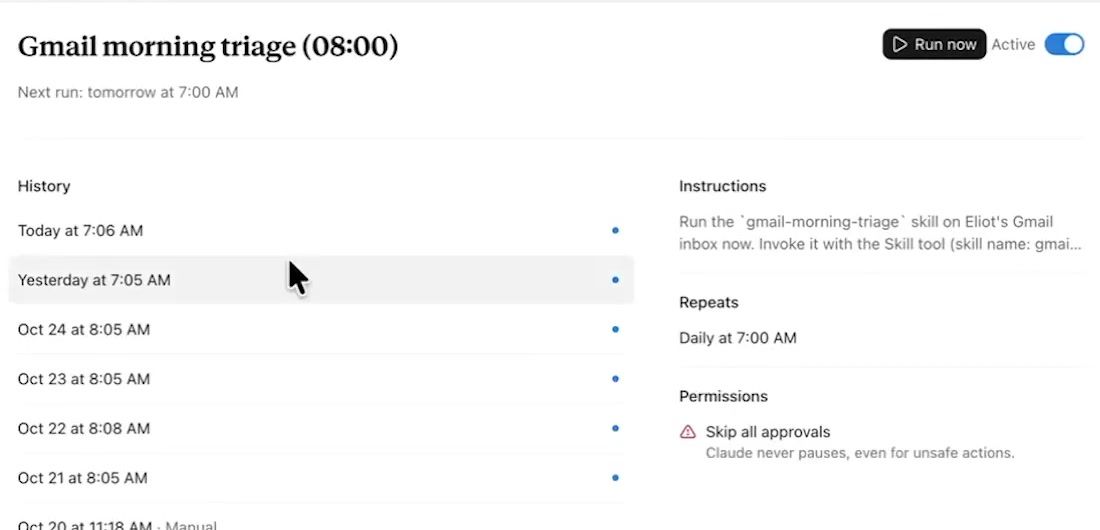
It knows exactly what to do. Claude does the work for me automatically and I don't have to think about it.
They work in any project. If you use Projects in Claude, maybe you run an agency with different marketing clients or different accounting clients. You can use a skill in any project. The skill knows how to do the job step by step, and you run it on different sets of context. That's one of the things I love about my community, where I give access to all the skills and plugins I use. My content strategist skill is going up there for everyone to use. Anyone can give it their own business information and it will build a content strategy based on their social media, not mine.
You can bundle them into plugins. Wrap multiple skills up in a box and that's called a plugin. I could wrap up my content strategist skill with a LinkedIn post skill, a reels script writer and a hook skill, and they could work together as a little team to run my content strategy. Then I could film my reel and hand it off to the reels editor too. That's what people mean when they say they've built whole departments and fired their marketing team. They've built some Claude skills which do a pretty good job.
How to Create Claude Skills Without the Three Big Mistakes
I've taught 3,387 people to build Claude skills live. These are the three biggest mistakes I see, and they're why people abandon skills so quickly.
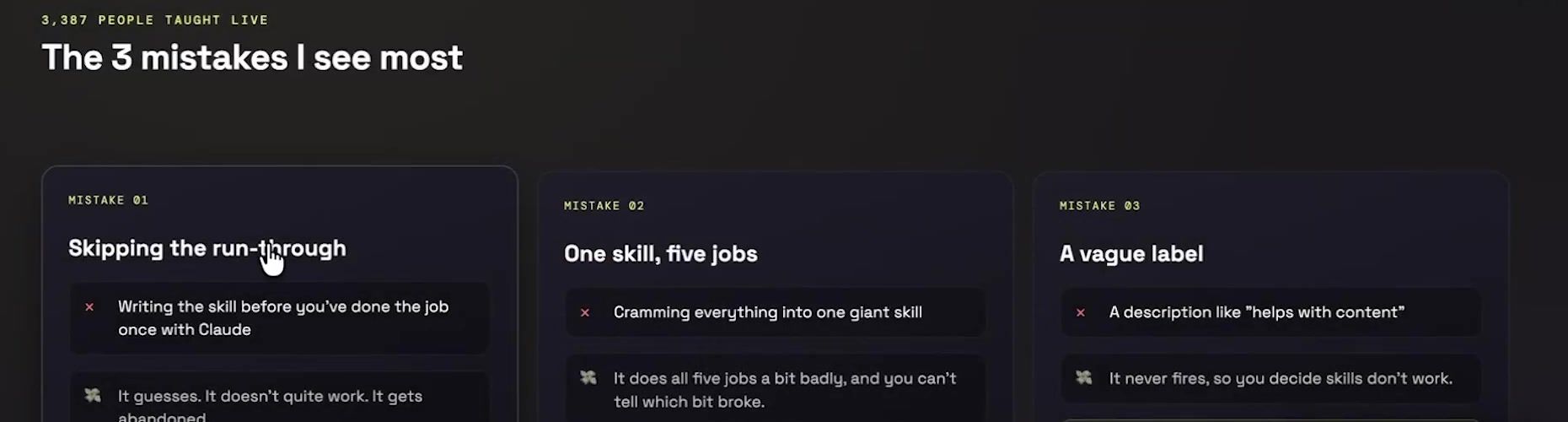
Mistake 1: Skipping the Run-Through
People go into Claude and say "can you just build me a Claude skill that does my content strategy". Claude hacks something together, but it isn't based on anything. It's Claude taking its best guess, and you might as well not build that at all.
Work through the process with Claude instead. To build my content strategist skill and my reels editing skill, I worked back and forth with Claude step by step to work out the process, what good was like, what I did and didn't like, until I had a final output. You're training it like an intern first. Get the job done once to a gold standard. Then, once the job is done, ask:
Hey, can you turn this process into a Claude skill?Skip that and Claude gets the job wrong. You lock in a process that doesn't work, you abandon it, and you go back to doing everything manually, when you just didn't take the time to run it through and work out the kinks.
Mistake 2: One Skill Trying to Do Five Jobs
I have 15 SEO skills. A lot of people would build one SEO skill and try to make it audit, write content, write reports and do keyword research. It falls down because that's way too much for one skill.
It's tempting to build one mega skill that does everything, but if it does one of those bits badly, the whole thing fails. If a skill isn't performing well, break it down so it has one particular task. Keep each skill to one specific job and one specific outcome, then chain several together.
Mistake 3: A Vague Label
Remember the description at the top of the skill? If it's vague, Claude might not know when to fire it. Be crystal clear when you set it up. Read the description and give Claude feedback, like this:
Hey, can you make sure you fire this anytime I mention the words "edit a reel" or "edit this for Instagram"?Without that clarity the skill might not run, and it sits gathering dust in your account. You might think it's working, or forget the phrases that set it off. Then you're running off a blank Claude chat, an untrained intern instead of a trained expert consultant in your business.
Claude Skills FAQ
What are Claude skills in simple terms? A checklist that runs itself. It's a set of instructions Claude keeps, saved and ready to run on command, so a job gets done the same way every time.
What's the difference between a prompt and a skill? A prompt is something you do once. Anything you do with AI weekly, daily or monthly is worth turning into a skill, so you don't have to paste the prompt in every time. Sometimes a skill is just your best prompt wrapped up.
Do I have to tell Claude to use a skill? No. You can call it with a slash command, but Claude also reads each skill's description and fires the right one when your request matches. In my reel test I never told it to use the skill with a slash command, and Claude still used it.
What's inside a Claude skill? Three parts: the description (the label that tells Claude when to use it), the SKILL.md file (the step-by-step instructions) and the reference files (templates, frameworks, checklists and worked examples).
Can I use Claude skills outside Claude? Yes. Skills follow the Agent Skills open standard, so a skill you build in Claude can be used in other tools that build on it, like OpenAI's ChatGPT and Codex and Nous Research's Hermes Agent.
What is a Claude plugin? Several skills wrapped up in a box that work together, like a content strategist, a LinkedIn post writer, a reels script writer and a hook writer running your content as a little team.
Run It Once, One Job, One Clear Label
Run through the process once with Claude, give each skill one job (not five, or a whole department's worth), and give it a clear label so it knows exactly when to fire.
I test AI on my own business and send what works every week, with the full prompts. You can join below.