Claude Cowork · Eliot Prince
Claude Cowork Updates: What's Changed and How to Use It
The Chat and Cowork toggle has gone, Cowork runs in the cloud, and projects and scheduled tasks have merged. Every change, and the settings to check.

Every Wednesday at 1:49pm, a scheduled task inside one of my Claude projects runs the prep for our live Q&A call. When Cowork first came out, scheduled tasks didn't exist, and chat projects and Cowork projects were two separate things.
That's how much has moved. These are the Claude Cowork updates you need to know about, on personal accounts and Teams accounts, with the exact settings to check. I've run Claude across organisations of 50 plus people on a Teams account, so I've had to track every one of these. I published the video on 27 October 2026. Features move fast, so I've linked Anthropic's own help page for each change. Check those if your screen looks different.

What Are the Latest Claude Cowork Updates?
The Chat and Cowork toggle has gone, Cowork runs in your browser and on your phone, projects have merged, scheduled tasks can sit inside a project, memory now covers Cowork, there's a browser built into the Claude app, and you can write docs, slides and spreadsheets without leaving Claude.
| What | How it used to work | How it works now |
|---|---|---|
| Chat or Cowork | You picked Chat or Cowork with a toggle before you started | No toggle on Pro or Max. Claude decides under the hood |
| Teams accounts | Classic Chat and Cowork | An admin switches on "Chat and Cowork unified" in organisation settings |
| Where Cowork runs | The desktop app only | Your web browser and your phone too, in the cloud |
| Files on your computer | Only from that computer | From the web or your phone, while the desktop app is open on that computer |
| Projects | Separate Cowork projects and chat projects | Just projects, with a folder on your computer and context uploaded to Anthropic |
| Scheduled tasks | Didn't exist at first | A Scheduled tab, and tasks you can attach to a project |
| Memory | Cowork had none | One memory across your whole account |
| Browsing | Claude in Chrome | Claude in Chrome, plus a browser built into the Claude app |
| Documents | Attach a Word document | Claude Docs, Claude Slides and spreadsheets inside the app |
Where Did the Chat and Cowork Toggle Go?
It's gone, because Claude now decides for you. At the very start we had a Chat, Cowork and Code toggle. Then it moved to the top right. Then the Chat and Cowork toggle moved into the middle of the screen, in the message box.
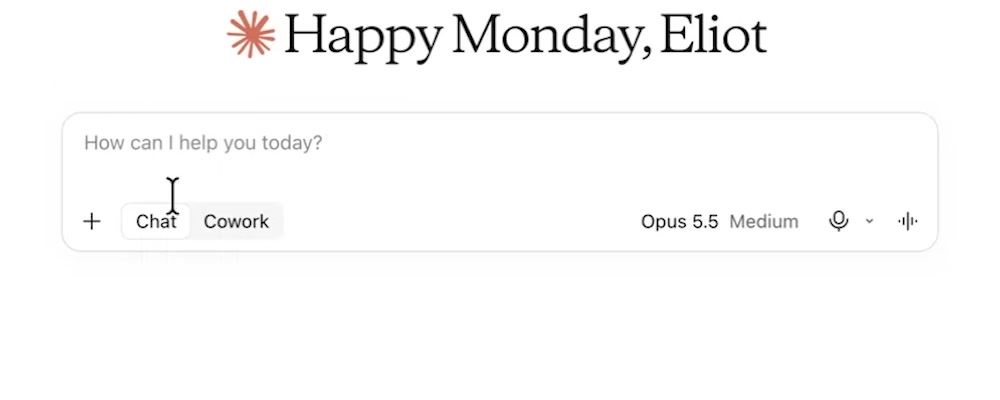
Even then, people kept asking me: "Eliot, what do I choose, Chat or Cowork?" One of my fastest growing videos on YouTube was Chat versus Cowork, what's the difference. So Anthropic took the problem out of our hands.
One day you show up and Cowork isn't there anymore. Under the hood, Claude looks at what you're doing. If you're just chatting back and forth it chats, and if you're giving it a task to run end to end it brings in the full power of Cowork. You can say "I want to work in this folder" and get to work, and Claude takes care of everything under the hood. I love that.
Anthropic's help page Claude Cowork and chat are one Claude says it's rolling out in stages to Pro, Max and Ultra plans. If your message box still shows "Chat" and "Cowork", you haven't been switched yet, and there's nothing for you to turn on.
How Do You Turn On Unified Chat and Cowork on a Teams Account?
On a Teams account an admin has to switch it on. On Pro or Max it sets up automatically, but if you run Claude Teams in your business there's an extra step:
- Go into your organisation settings.
- Click Capabilities.
- Find "Chat and Cowork unified" and turn it on.
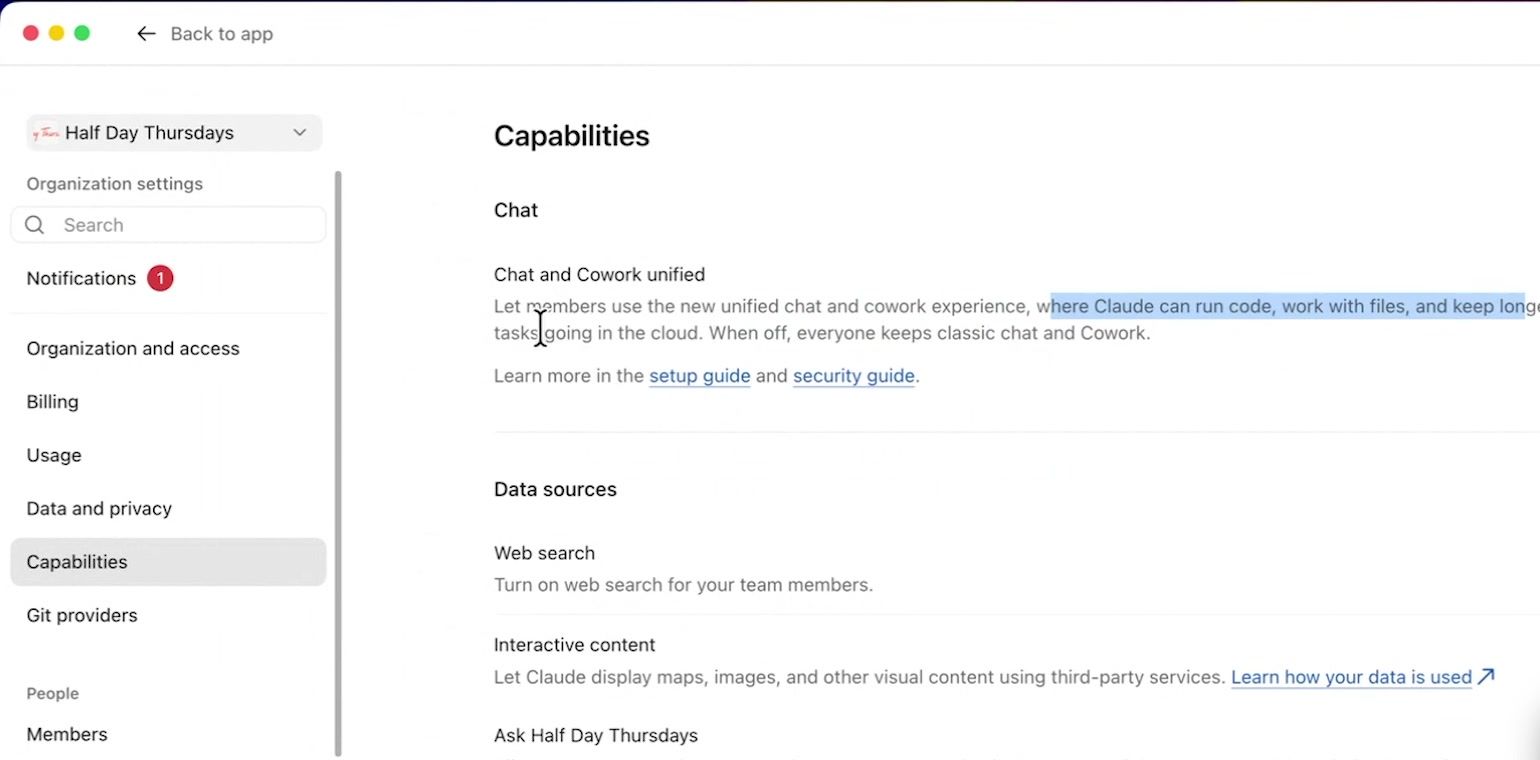
The description says it lets members use the new unified chat and Cowork experience, where Claude can run code, work with files and keep longer tasks going in the cloud. When it's off, everyone keeps classic Chat and Cowork.
I tested both ways on camera. With it off, the toggle came back in my app. With it on, the toggle was gone and we just work, with no more decisions to make.
As the admin it's your decision. There's a setup guide and a security guide linked right there in the setting. Anthropic's page on using Cowork on Team and Enterprise plans says it's in beta on Team plans, and Cowork has its own separate switches under Organisation settings, Cowork.
Can You Use Claude Cowork Without the Desktop App?
Yes. In my original Claude Cowork video I told you to download the desktop app first, because Cowork only worked there. It needed the files and folders on your computer and the power of your computer to run. That's not true anymore. Cowork now runs in the cloud from your web browser and on mobile.
To show it, I ran my Company DNA builder skill from the web browser instead of the desktop app. It went through multiple steps on its own. It used code, connectors, web search, memory and skills, firing the whole task end to end instead of me asking a question and getting one answer back. In chat mode that would have been very stop start.
The interesting part was at the top of the screen. I was in the web browser, and it said "MacBook Pro, Connected. Claude can use the files and apps on your computer."
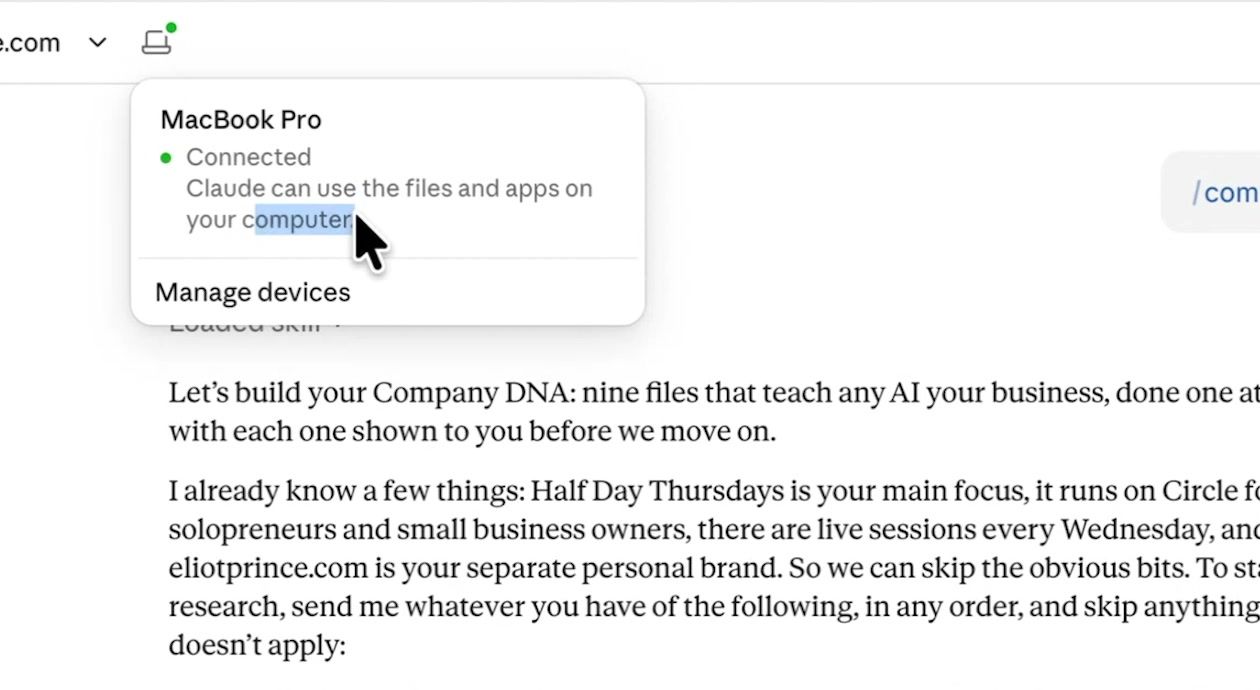
So from the web app or the phone app, Claude can use files and apps on my computer, as long as the computer with the desktop app is up and running. I could log in from a different computer and it could still reach those files. If that computer is off, Claude can't reach its files and folders. It still runs Cowork, which is Claude Code under the hood with a nice interface on top, but it does everything in the cloud without your local context. Anything extra it needs, you upload to Anthropic's servers.
Anthropic's page on using Cowork on web, desktop and mobile has the detail. Since 6 October 2026, new Cowork sessions on Pro, Max and Ultra run in the cloud, and there's no setting to choose. In my settings, under Cowork, there's a "Cowork in the cloud" setting that lets Cowork tasks use Anthropic's cloud instead of your own computer. Local files, local connectors, browser use and computer use still need the desktop app open.
How Do Claude Cowork Projects Work Now?
Projects are now one thing, with a folder on your computer and uploaded context side by side. Originally you just picked a folder and started working. I'd add my screenshots folder and say:
Can you go into my screenshots folder, look at the loose screenshots, give them a name that makes them easy to distinguish and read without opening the whole screenshot, and then file them nicely for me.Claude asks for access to the folder, and then it gets to work renaming, editing and creating files. Super useful, but it left a loose end.
So Anthropic put everything in projects. At first we had two separate types, Cowork projects and chat projects. Those got merged into one area, and the week I filmed this they were merged again. Now all of our projects are just projects. There's no distinction between chat and Cowork.
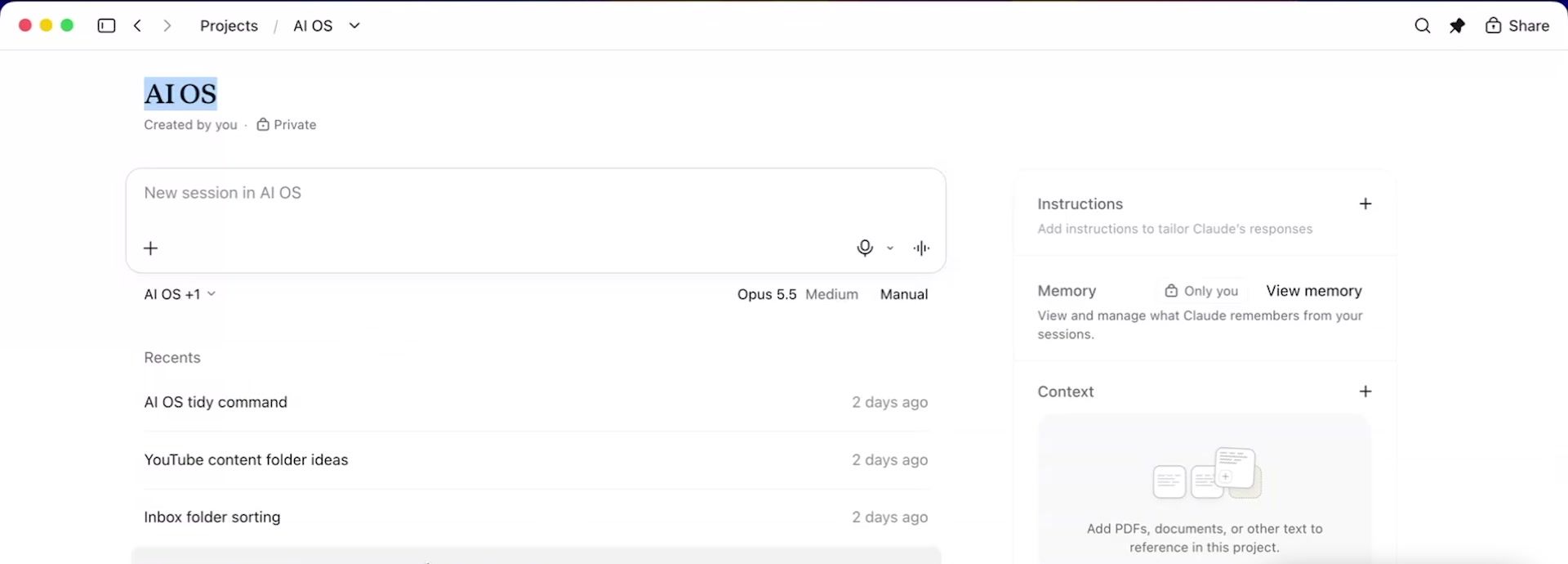
Inside my AI OS project (my AI operating system) I get:
- Chats, filed underneath, so I can see what tasks I've been running
- Folder, the folder connected on this computer. Click the edit button to pick a different folder for Claude to work in
- Context, where you click plus, then "Upload from device", and the files sit on Claude's servers so the project works whether my computer is on or off
So you can end up with a project that has context uploaded to Anthropic's servers and a folder on your computer attached too, depending on how you want it to work. That's a lot more flexibility, with a little more complication to get your head round. Anthropic's guide to organising your tasks with projects lists what each project holds: instructions, scheduled tasks, context and memory.
How Do Claude Cowork Scheduled Tasks Work Inside a Project?
You can now attach a scheduled task to a project, so it runs with that project's context. Perhaps one of the biggest announcements for Claude Cowork was the ability to run scheduled tasks. In the left sidebar there's a button that says Scheduled. You can take any Claude skill, or any action you want Claude to take, and set it on a schedule.
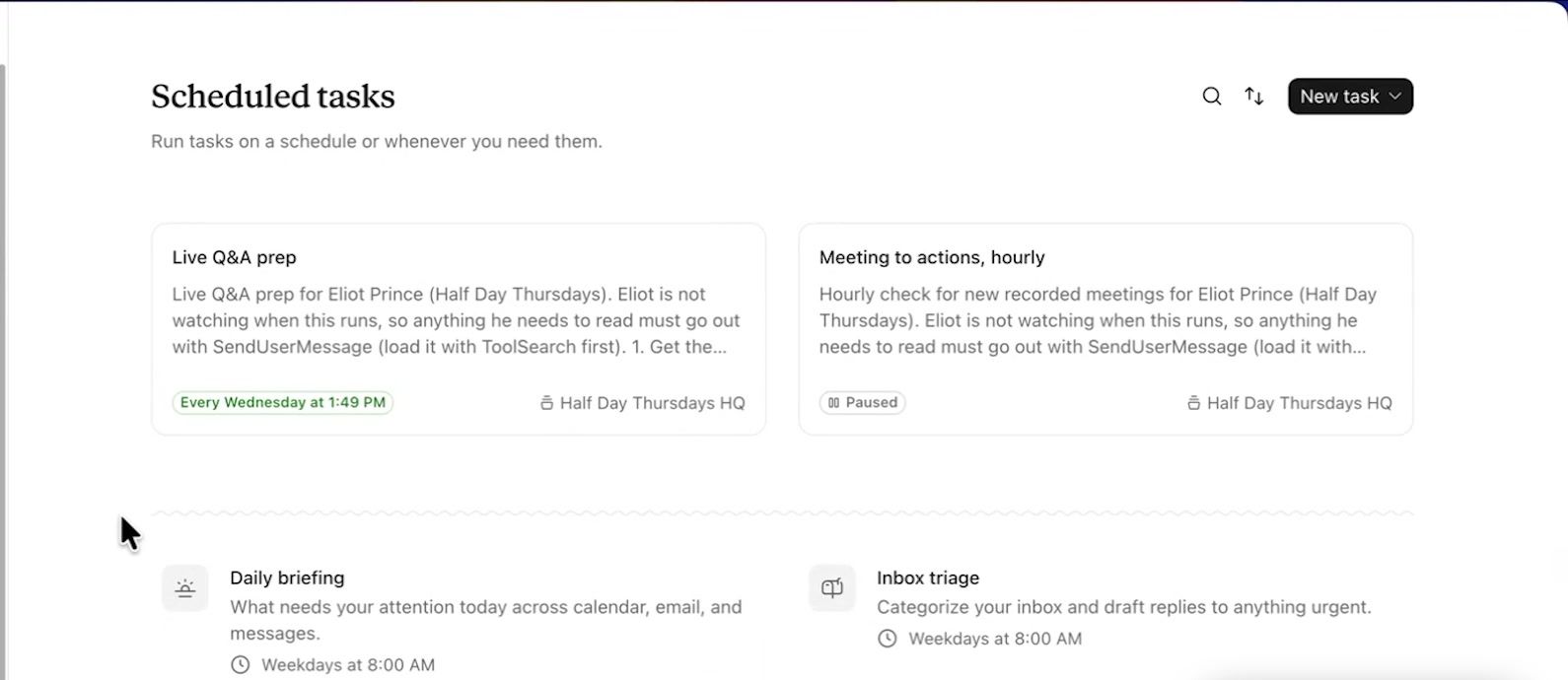
It also offers ready-made options like a daily briefing, triaging your inbox and weekly reviews. That was a massive upgrade that didn't exist originally. You just say "I want to set up a scheduled task in Claude" and let it run.
Now you can go one level deeper. My Half Day Thursdays HQ project has 10 key files uploaded to it, my Company DNA files, which I teach inside Half Day Thursdays. So I can work in that project with Cowork on any task with the full context of my business. And I can schedule tasks in there now.
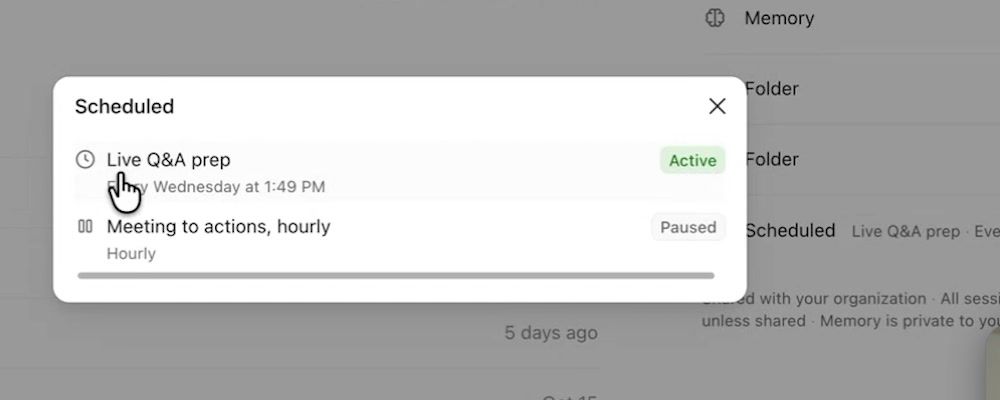
The live Q&A prep runs every Wednesday at 1:49pm. That's one of my demo projects. I probably have 10 or 20 running in my main version.
Attaching scheduled tasks to a project helps because:
- The task uses the context of the project
- It can use all of your Claude skills
- There's memory attached to the project
- You can set it to run on a time or a trigger
Anthropic's page on scheduling recurring tasks says new scheduled tasks run in the cloud, so they keep going when your computer is asleep. A task that needs local files or apps only runs locally.
Does Claude Cowork Have Memory Now?
Yes. Your memory now runs across your whole account, Cowork included.
Before, Claude chat had memory and Cowork didn't. If you asked Cowork what it knew about you, it knew nothing, because it just ran on files on your computer and wasn't attached to the main ecosystem. That changed a couple of months before I made the video. Now any conversation, whether it's running Cowork under the hood or just a little chat back and forth, has the full context of your memory.
Go into your settings and turn on:
- Search and reference chats
- Generate memory from chats
Including sensitive topics is up to you. Below that you get a full breakdown: a You section, topics I talk about a lot, people I work with, and every project I've set up. I can reference any of it anywhere I'm working in Claude, in any chat or any project, or Claude just knows what's going on.
Anthropic's page on chat search and memory says the settings live under Settings, Your Claude (Settings, Memory in the older layout). Two things to know: memory is shared with Cowork when Cowork runs in the cloud, and on Team and Enterprise plans it's off for each member until they turn it on.
Claude in Chrome or the Built-in Browser?
You now have both. Claude in Chrome is the sidebar in your own browser. I use Brave, click "Open Claude", and the sidebar pops up. I can say "go to BBC.com" and it navigates there, or prompt it to take actions and browse the web agentically. Your screen glows orange while Claude is using your browser.
Cowork could also drive Claude in Chrome from the desktop app, so if Claude was mid task it could open Chrome and use it for you. Super helpful.
The upgrade is a browser built into the Claude app. Go to the top right of the app and there's a hidden setting called browser. You can import your cookies there. I can be working on the left and browsing on the right, and Claude can use that browser too. So I asked:
Can you actually not use Claude in Chrome? Can you use the inbuilt browser here, please?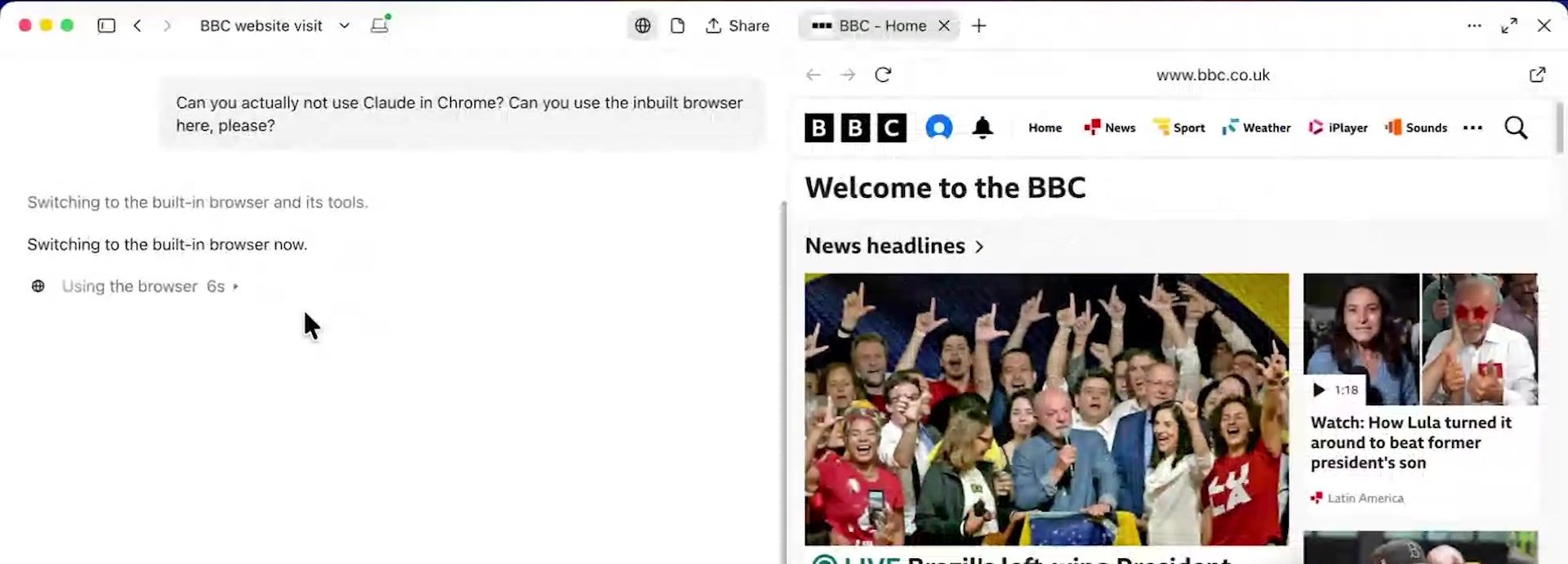
It switched to the built-in browser and asked permission to use the browser on BBC.com. I allowed it, and then asked it to summarise the top articles from BBC.com in the pane. It's super helpful if you're building or creating web pages, because Claude can check them and click around itself. The connection between Claude in Chrome and the desktop app can be a little bit funky sometimes. This is way more stable than the original, and you never have to leave the app.
Anthropic's page on the built-in browser says you pick your default under Settings, Cowork, Preferred browser. If you already use Claude in Chrome, it stays your default until you change it.
What Are Claude Docs and Claude Slides?
They let you create documents and presentations inside the Claude app instead of attaching a Word document. You can do the same with spreadsheets. I usually put my documents into Notion, but in the video I asked:
Can you get my "Claude Cowork is outdated" video outline and put it into a Claude Doc for me, please?When you ask for a Claude Doc rather than a Word document or a Google Doc, Claude does it all in the app. The document opened on the right, with a little Claude Docs tag on the left, and I watched it write my outline live. You can delete, edit and write alongside Claude. You can highlight and strike through, like a normal Word document, without leaving Claude.
You can also highlight text and leave a comment. You could say "I like this, remember this," or give it a job. My comment was "Merge these two sections into one point, please, because they're kind of the same," and Claude did it.
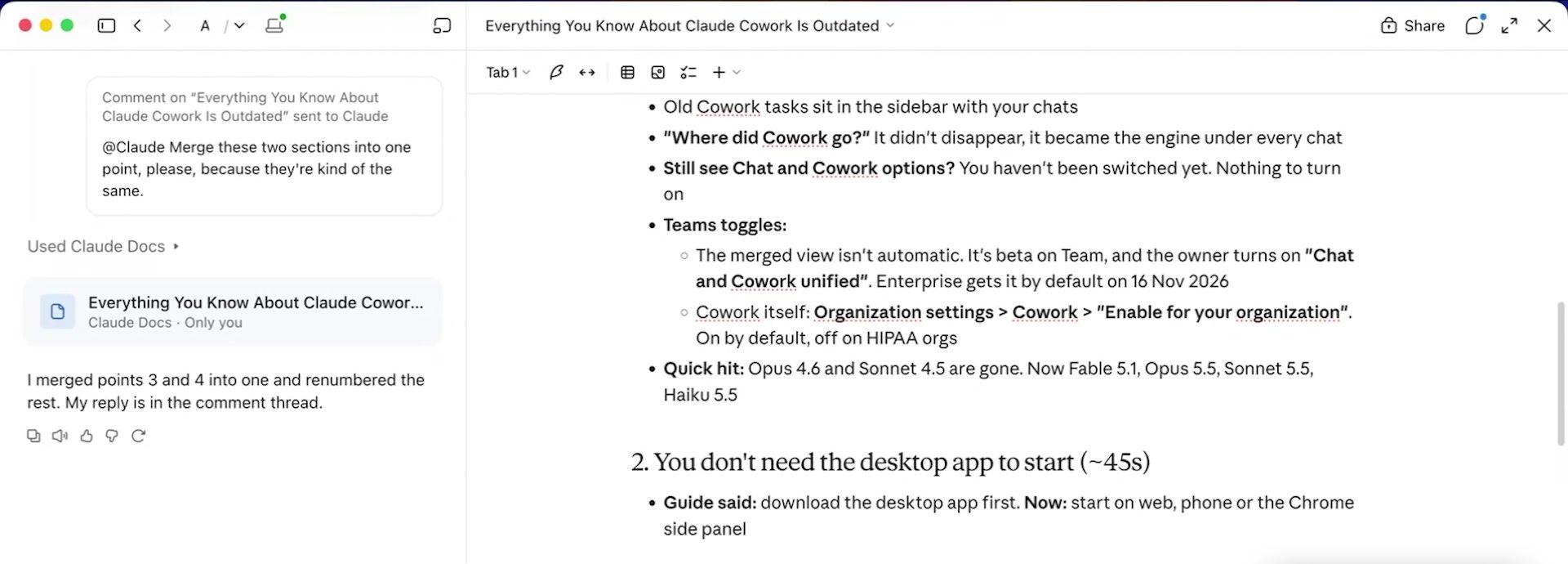
That's how we want to be working with AI now. You sit as the delegator, not the one pressing buttons on the keyboard. I don't need to merge those sections myself once the information I want is on the page.
There is a Google Sheets connector and Google Workspace support in Claude now, but it's a lot slower than doing everything in Claude. When you're done, the share button lets you invite people on your team to edit or view, or share publicly. On my screen the export options were a Word document, a PDF, markdown, Google Docs and Notion. Anthropic's Claude Docs guide lists Word, PDF, Markdown and Google Docs, so yours may differ. Anthropic's page Claude Cowork and chat are one Claude lists Claude Docs and Claude Slides as beta for now.
Claude Cowork Updates FAQ
Is Claude Cowork gone? No. The separate toggle has gone, and Claude switches Cowork on and off under the hood as your task needs it.
Why can I still see the Chat and Cowork toggle? On Pro or Max, the change is rolling out in stages, so you may not have it yet. On a Teams account, your admin has to turn on "Chat and Cowork unified" under Capabilities.
Can I use Claude Cowork on my phone? Yes. Cowork runs in the cloud on the web and on mobile. To reach files on your computer, the desktop app needs to be open on that computer.
Do Claude Cowork scheduled tasks need my computer on? New scheduled tasks run in the cloud, so they don't, unless the task needs files or apps on your computer.
What's the difference between a project folder and project context? The folder lives on your computer and needs it to be on. Context is files you upload to Anthropic's servers, so the project works whether your computer is on or off.
Those are all the key updates you need to be aware of. If you'd rather not do this alone and want to stay ahead of the game, that's what my community is for, with the AI Jumpstart course, live calls every week and my skills and plugins library. See what's inside my AI community, Half Day Thursdays: halfdaythursdays.com
I test AI on my own business and send what works every week, with the full prompts. You can join below.